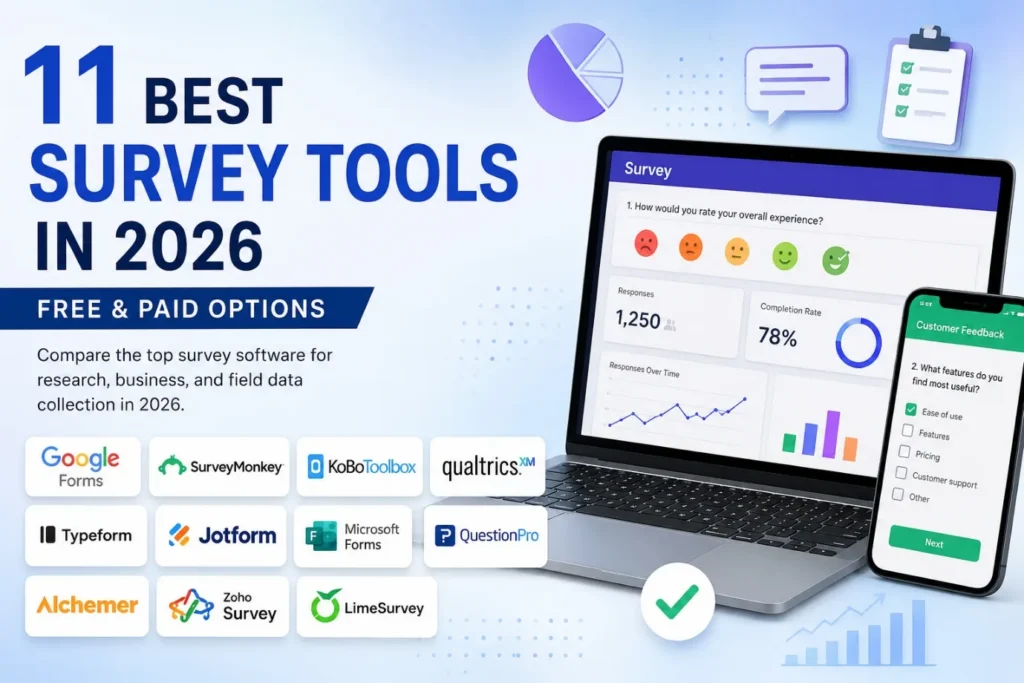
11 Best Survey Tools in 2026: Free & Paid Options
Collecting survey responses is easy. Collecting usable, consistent and analysis-ready data is much harder. The right survey platform can influence questionnaire logic, response validation, offline collection, data quality, distribution and the way responses move into the analysis stage.
The best choice depends on the research situation. A simple academic questionnaire may need only a free form builder, while field research may require offline collection and GPS. Large organisations may instead need advanced logic, integrations, security controls and automated reporting. This guide compares 11 survey tools and explains where each one fits best.
Capabilities That Matter Beyond Form Creation
Modern survey platforms differ considerably in how they handle the complete data-collection workflow. Before selecting one, researchers should consider:
- Question logic and branching for directing respondents through relevant questions.
- Validation and constraints for preventing unsuitable entries.
- Offline collection for low-connectivity field environments.
- Data export and integrations for moving responses into analysis systems.
- GPS and multimedia capture for specialised field studies.
- Analytics, security and administration for larger research programmes.
The important distinction is therefore not simply how quickly a form can be created, but how effectively the platform supports the journey from questionnaire design to reliable dataset.
11 Best Survey Tools in 2026
1. Google Forms

Best for: Simple academic surveys, internal questionnaires and quick feedback
Google Forms is a straightforward option for creating and distributing basic questionnaires. Its integration with Google Sheets makes response management convenient, while collaborative editing allows multiple users to work on the same form.
It is particularly suitable when the research does not require advanced field collection, GPS or highly complex survey workflows.
Free option: Yes
2. SurveyMonkey

Best for: Professional surveys and organisational feedback
SurveyMonkey provides advanced question types, branching, templates, analytics, integrations and AI-supported survey capabilities. Its enterprise offering also includes advanced administration and response-management features.
An important capability for field researchers is SurveyMonkey Anywhere, which allows surveys to be downloaded to mobile devices and completed without an internet connection before responses are uploaded later.
Free option: Limited free access + paid plans
3. KoBoToolbox

Best for: Field research and low-connectivity environments
KoBoToolbox is particularly valuable when data collection takes place outside conventional online environments. Its field-oriented workflow supports offline collection, while KoboCollect enables mobile data collection on Android devices.
Its technical value extends beyond ordinary questionnaires. Researchers can use skip logic, validation, calculations and GPS questions, including collection of geographic points, routes and areas. This makes it particularly useful for field studies where connectivity and location data matter.
Free option: Yes, with plan-dependent capabilities
4. Qualtrics

Best for: Advanced academic and enterprise research
Qualtrics is designed for sophisticated research and organisational feedback programmes where complex survey logic, advanced analysis, integrations and administrative controls are important.
It is particularly appropriate for universities, large organisations and research programmes involving complex respondent flows, structured data collection and extensive reporting requirements.
Free option: Availability depends on institution and programme
5. Typeform

Best for: Engaging and conversational surveys
Typeform focuses strongly on respondent experience. Its conversational, one-question-at-a-time presentation can make surveys feel less like traditional forms and more like guided interactions.
It can be particularly useful for customer research, lead generation and feedback where presentation and completion experience are important.
Free option: Yes, with limitations
6. Jotform

Best for: Complex forms and workflow-based data collection
Jotform extends beyond conventional surveys by combining forms with workflows, approvals, payments, integrations and automation. Its workflow system can trigger tasks, emails, approvals and other actions based on collected information.
This makes it useful when survey responses need to initiate an organisational process rather than simply populate a spreadsheet.
Free option: Yes, with limits
7. Microsoft Forms

Best for: Microsoft 365 users and internal surveys
Microsoft Forms provides surveys, quizzes and polls with real-time response viewing and Excel export for further analysis.
For organisations already using Microsoft 365, its ecosystem integration can make it a practical choice for employee feedback, internal questionnaires and straightforward research.
Free option: Available with eligible Microsoft accounts and plans
8. QuestionPro

Best for: Academic, market and structured research
QuestionPro offers features including branching, multilingual surveys, raw-data export, SPSS export, advanced randomisation and research-oriented analysis. Its market-research capabilities also support distribution through email, websites, SMS, mobile applications and other channels.
This makes it particularly relevant when researchers need more than basic response collection.
Free option: Yes, with paid tiers
9. Alchemer

Best for: Advanced logic and enterprise feedback programmes
Alchemer is aimed at organisations requiring advanced survey logic, reporting, integrations and workflow automation. Its current platform supports 43 question types, branching, multichannel deployment and AI-assisted survey building and analysis.
It is therefore more suitable for structured organisational feedback and market research than simple one-off questionnaires.
Free option: Primarily paid
10. Zoho Survey

Best for: Business surveys within the Zoho ecosystem
Zoho Survey is a practical choice for organisations already working with Zoho applications. Its value increases when survey responses need to connect with wider customer, business or workflow processes.
Free option: Yes, with limitations
11. LimeSurvey

Best for: Open-source and highly customisable survey environments
LimeSurvey is suited to users who want greater control over deployment, configuration and customisation. Its open-source approach can be attractive to organisations with technical teams and specific data-management requirements.
Free option: Community/open-source option + paid services
Handling Network Problems During Field Research
Unreliable internet can make online-only surveys difficult in remote villages, rural health camps and other field locations. Platforms with offline collection allow researchers to save responses on the device and synchronise them when connectivity returns.
KoBoToolbox is particularly useful for this workflow, including multilingual field surveys. Before deployment, researchers should test offline storage, GPS, attachments, validation and synchronisation to ensure the complete survey works without connectivity.
Data Export Matters After Collection
Collecting responses is only the first step. Researchers should also check whether the platform can export data in formats required for SPSS, Excel, R, Python or GIS.
A survey platform may collect excellent data but still create extra work if variables, labels, missing values or geographic information are difficult to transfer into the analysis workflow.
Technical Comparison of the 11 Platforms
| Survey tool | Best suited for | Multilingual capability | Offline capability | Distinctive strength |
| Google Forms | Basic research | Basic | Limited | Simplicity |
| SurveyMonkey | Professional surveys | 57 languages | Yes, plan dependent | Advanced survey ecosystem |
| KoBoToolbox | Field research | Multiple translations | Yes | Offline + GPS |
| Qualtrics | Enterprise research | 78 languages | Plan dependent | Advanced research |
| Typeform | Engaging surveys | Multiple languages | Limited | Respondent experience |
| Jotform | Complex workflows | Multilingual | Yes, mobile | Forms + automation |
| Microsoft Forms | Internal surveys | Up to 11 languages/form | Limited | Microsoft integration |
| QuestionPro | Research surveys | 95+ languages | Plan dependent | Research functionality |
| Alchemer | Enterprise feedback | Multilingual | Plan dependent | Logic + integrations |
| Zoho Survey | Business feedback | Multilingual | Limited | Zoho ecosystem |
| LimeSurvey | Custom research | Highly customisable | Deployment dependent | Open-source control |
Protecting Data During Multi-User Fieldwork
Field surveys often involve several investigators using different mobile devices. Researchers should therefore check user permissions, duplicate submissions, device-level data storage, synchronisation conflicts and access controls before deployment.
This becomes particularly important when sensitive respondent information, photographs or location coordinates are collected.
Matching the Tool to the Research Situation
The best survey tools change according to the research environment. A simple university questionnaire may require nothing more than Google Forms, while a field study in an area with unreliable connectivity may benefit substantially from KoBoToolbox.
For large employee or customer research programmes, SurveyMonkey, Qualtrics or Alchemer become more relevant because advanced logic, administration and integrations matter. Typeform is better suited to visually engaging respondent experiences, while Microsoft Forms is convenient for organisations already operating within Microsoft 365.
Survey Design Directly Affects Data Quality
Survey software is not merely a digital replacement for paper questionnaires. Logic and validation can prevent data-quality problems before analysis begins.
For example, consider a field survey on household vehicle ownership. If a respondent selects “No” to vehicle ownership, the platform can automatically skip questions about vehicle type, fuel consumption and annual mileage. Validation rules can also prevent impossible entries, such as negative mileage, from entering the dataset.
KoBoToolbox supports skip logic, validation and calculations, while QuestionPro and SurveyMonkey provide advanced branching capabilities.
This makes the selection of survey tools part of the research methodology rather than simply a software decision.
Free vs Paid Survey Platforms
Free platforms are often sufficient for small questionnaires, internal feedback and straightforward academic studies. Their limitations become more important when researchers require larger response volumes, advanced logic, sophisticated reporting, integrations, administrative controls or specialised field collection.
Paid platforms can become worthwhile when data quality, respondent management and operational efficiency are more valuable than minimising subscription costs. The cheapest option is therefore not always the most economical choice for a complex research project.
Conclusion
The best survey tools are not determined by popularity alone. The right choice depends on questionnaire complexity, research design, connectivity, data requirements, respondent experience and the intended analysis workflow.
Google Forms is strong for simplicity, KoBoToolbox for field research, SurveyMonkey and Qualtrics for advanced requirements, while Typeform, Jotform, QuestionPro, Alchemer, Microsoft Forms, Zoho Survey and LimeSurvey address more specialised needs.
Need Help Choosing the Right Survey Platform?
Selecting the wrong platform can create avoidable problems during questionnaire deployment, data collection and analysis. Simbi Labs can support questionnaire development, survey-platform selection, field-data collection, data cleaning and statistical analysis, helping researchers build a reliable end-to-end research workflow.
FAQ
Which survey tool is best for academic research?
Google Forms is suitable for straightforward academic questionnaires, while KoBoToolbox, QuestionPro and Qualtrics can be more appropriate for complex, field-based or advanced research.
Which survey tool is best for offline data collection?
KoBoToolbox is particularly strong for offline field research. SurveyMonkey also supports offline collection through SurveyMonkey Anywhere.
Can KoBoToolbox collect GPS data?
Yes. KoBoToolbox supports geographic data collection, including GPS points, routes and areas, making it useful for location-based field research.
Is Google Forms enough for a PhD questionnaire?
It can be sufficient for a straightforward questionnaire. Studies requiring complex branching, validation, GPS, offline collection or advanced workflows may benefit from a more specialised platform.
Is there one best survey tool for every research project?
No. The appropriate platform depends on the research design, connectivity, questionnaire complexity, budget, integrations, data requirements and analytical workflow.