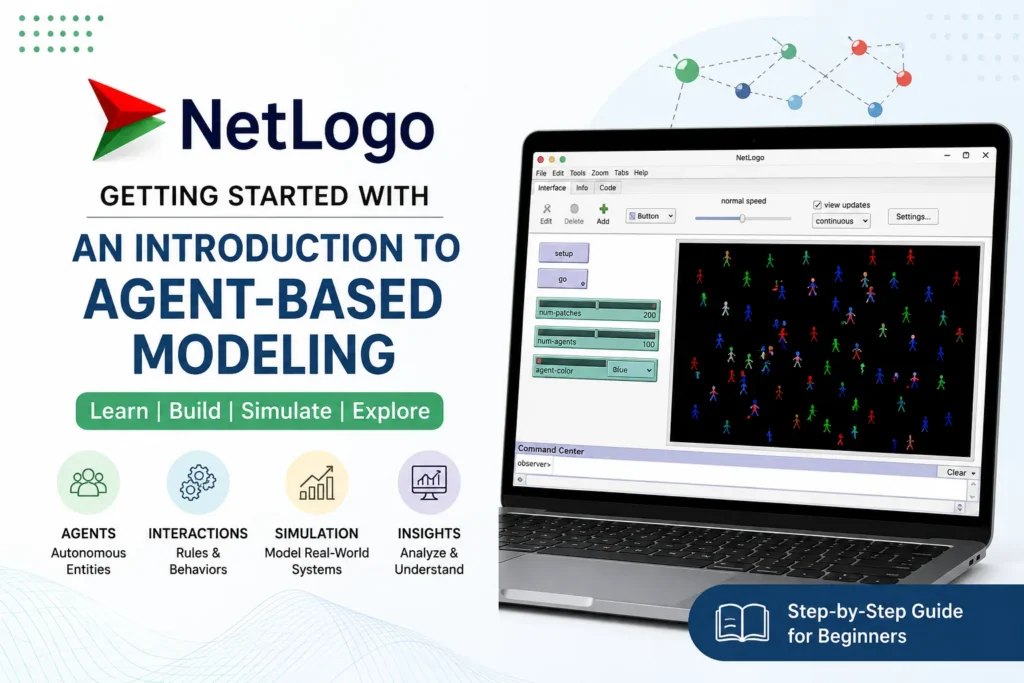
Getting Started with NetLogo: Beginner Tutorial & Guide
Introduction
Simulation has become an essential tool for understanding complex systems in science, engineering, economics, and social sciences. Rather than relying solely on mathematical equations, simulation enables researchers to observe how individual entities interact and how these interactions produce large-scale behaviors. One of the most widely used platforms for this purpose is NetLogo. If you’re looking to get started with NetLogo, this guide introduces the fundamentals of the software, explains the concept of agent-based modeling, and highlights why NetLogo is an excellent choice for beginners. Whether you’re searching for a NetLogo simulation for beginners or exploring a NetLogo agent-based modeling tutorial, this article provides a solid foundation.
What You’ll Learn
By the end of this NetLogo tutorial, you will understand:
- The NetLogo interface and basic workspace
- Core concepts of agent-based modeling
- Basic NetLogo programming and commands
- How to create and run simple models
- Where to find useful NetLogo examples
- How NetLogo is applied across different research fields
This section is short and directly tells beginners what they will get from the article.
NetLogo as an Agent-Based Modelling Platform
NetLogo is a free, open-source programming environment designed for creating and running agent-based simulations. Developed by the Center for Connected Learning and Computer-Based Modeling at Northwestern University, NetLogo enables users to model the behavior of independent agents within a virtual environment.
Unlike many traditional programming languages, NetLogo combines a simple syntax with an interactive graphical interface, making it accessible to users with little programming experience. Its intuitive design supports NetLogo coding for students, educators, and researchers who want to build simulations without an extensive software development background.Many beginners start by exploring the built-in models before creating their own simulations, making NetLogo an ideal platform for learning computational modeling.
This makes NetLogo for beginners a practical starting point for learning agent-based simulation without first mastering a general-purpose programming language.
Read Also: NetLogo BehaviorSpace Tutorial
NetLogo Agent-Based Modelling Fundamentals
Agent-based modeling (ABM) is a computational approach used to simulate the actions and interactions of autonomous entities called agents. These agents operate independently, following predefined rules while interacting with one another and with their environment.
The objective of ABM is to understand how simple individual behaviors lead to complex system-wide patterns. Instead of focusing on averages or aggregate equations, agent-based models examine each agent separately, allowing researchers to study emergent behavior in dynamic systems.A NetLogo agent-based modeling tutorial often begins with simple examples, such as moving agents or resource-sharing scenarios, before progressing to more advanced simulations involving thousands of interacting entities.
Key Reasons for NetLogo’s Popularity
NetLogo has become one of the world’s most popular agent-based modeling platforms because it balances simplicity with powerful simulation capabilities. Beginners appreciate its easy-to-read programming language, while experienced researchers value its flexibility for building sophisticated models.
Several factors contribute to its popularity:
- Simple programming syntax
- Interactive graphical interface
- Extensive documentation
- Active educational community
- Cross-platform compatibility
- Large collection of sample models
Users new to the software often begin with a NetLogo download and installation guide, followed by a NetLogo interface explained tutorial to become familiar with the workspace before writing code.
History and Evolution of NetLogo
NetLogo was developed by Uri Wilensky in 1999 as an extension of earlier educational modeling environments such as StarLogo. The goal was to create a platform that could support both education and scientific research while remaining accessible to beginners.Over the years, NetLogo has evolved significantly, introducing improved programming features, enhanced visualization capabilities, and a comprehensive NetLogo models library guide containing hundreds of ready-to-run simulations. Today, it is widely used by universities, research institutions, and educators worldwide.
Read Also : Monte Carlo Simulation in NetLogo: A Clinical Trial Case Study
Key Features of NetLogo
One of NetLogo’s greatest strengths is its combination of simplicity and functionality.
Key features include:
- Interactive graphical interface
- Easy-to-learn programming language
- Real-time visualization
- Built-in charts and plots
- Extensive sample model library
- Cross-platform support
- Support for extensions and external integrations
Understanding the workspace is an important first step. A NetLogo interface tour introduces users to the Interface, Code, and Info tabs, helping them navigate the software efficiently. Learning the NetLogo programming basics, including procedures, variables, loops, and conditionals, enables users to build increasingly sophisticated simulations.
As beginners progress, they also become familiar with common NetLogo commands such as clear-all, create-turtles, ask, set, forward, and tick. These commands form the foundation of most NetLogo programs. Another important concept is turtle programming. In a NetLogo turtle programming tutorial, users learn how turtles represent mobile agents that can move, interact, and respond to their environment according to predefined rules.
Using NetLogo for the First Time
Start by opening a sample model from the NetLogo Models Library to understand how agents, rules and visualisation work together. Then explore the Interface, Code and Info tabs before creating a simple model and experimenting with its variables and commands.
For beginners, working through small NetLogo examples is often more useful than starting with a complex simulation. Once the basic workflow is familiar, users can modify existing models or begin developing their own.
Applications of NetLogo Across Different Fields
NetLogo is used in numerous disciplines because it can model systems involving many interacting agents.
Common application areas include:
- Ecology and environmental science
- Epidemiology and public health
- Economics and financial systems
- Social science research
- Transportation and traffic analysis
- Supply chain and logistics
- Robotics and artificial intelligence
- Education and computational thinking
Many users begin by exploring built-in NetLogo examples that demonstrate how simple agent behaviours can generate realistic system dynamics.
Read Also : NetLogo Interface and Basic Programming
Advantages and Limitations
Like any software platform, NetLogo has both strengths and limitations.
Advantages
- Easy for beginners to learn
- Free and open source
- Excellent visualization tools
- Large educational community
- Extensive documentation and examples
- Ideal for rapid prototyping of agent-based models
Limitations
- Less suitable for highly computationally intensive simulations
- Limited 3D visualization compared to specialized simulation software
- Smaller ecosystem than general-purpose programming languages
Some learners also compare NetLogo vs Python for simulation. While Python offers greater flexibility, extensive libraries, and high-performance computing capabilities, NetLogo provides a much shorter learning curve and a purpose-built environment for agent-based modeling. For beginners and educational use, NetLogo is often the more accessible choice.
NetLogo vs Python for Simulation
| Feature | NetLogo | Python |
| Learning curve | Beginner-friendly | Requires more programming knowledge |
| Agent-based modelling | Purpose-built environment | Requires additional libraries |
| Visualisation | Built-in | Usually requires additional libraries |
| Model development | Fast for ABM prototyping | Highly flexible |
| Best suited for | Learning, research and rapid ABM development | Advanced and customised simulation workflows |
Read Also : NetLogo Models Library Tutorial: Examples, Models & Guide
Users and Fields That Benefit from NetLogo
NetLogo is suitable for a wide range of users, including:
- Undergraduate and postgraduate students
- Teachers and educators
- Researchers
- Data scientists exploring simulation
- Environmental scientists
- Social scientists
- Economists
- Anyone interested in computational modeling
Its simplicity makes it especially valuable for learners with little programming experience who want to understand simulation concepts before transitioning to more advanced programming environments.
Conclusion
NetLogo is an excellent platform for anyone interested in learning agent-based modeling. Its intuitive interface, beginner-friendly programming language, and extensive collection of sample models make it easy to start building simulations with minimal coding experience. Whether you’re following a NetLogo download and installation guide, exploring a NetLogo interface explained tutorial, studying the NetLogo programming basics, or comparing NetLogo vs Python for simulation, NetLogo offers a practical and engaging way to develop computational thinking skills. By exploring its model library and practicing regularly, you’ll be well on your way to mastering agent-based modeling and creating your own interactive simulations.
Get Expert Support for Your NetLogo Research
Need help developing a NetLogo model, simulation or research workflow? Simbi Labs provides research support for computational modelling, simulation development and data analysis.
Call Now : +91 99505 66669
Email : grow@simbi.in
FAQs
Is NetLogo suitable for beginners?
Yes. NetLogo uses a relatively simple programming language and provides built-in models that help beginners understand agent-based modelling.
What can NetLogo be used for?
NetLogo can be used to model systems in areas such as ecology, epidemiology, economics, transportation, social science and education.
Do I need programming experience to use NetLogo?
No. Beginners can start with existing models and gradually learn NetLogo commands and programming concepts.
What are turtles in NetLogo?
Turtles are mobile agents that can move, interact with other agents and respond to rules defined within a model.
Is NetLogo free to use?
Yes. NetLogo is available as a free platform for developing and running agent-based models.