
Cognos vs Power BI: Key Differences and Comparison
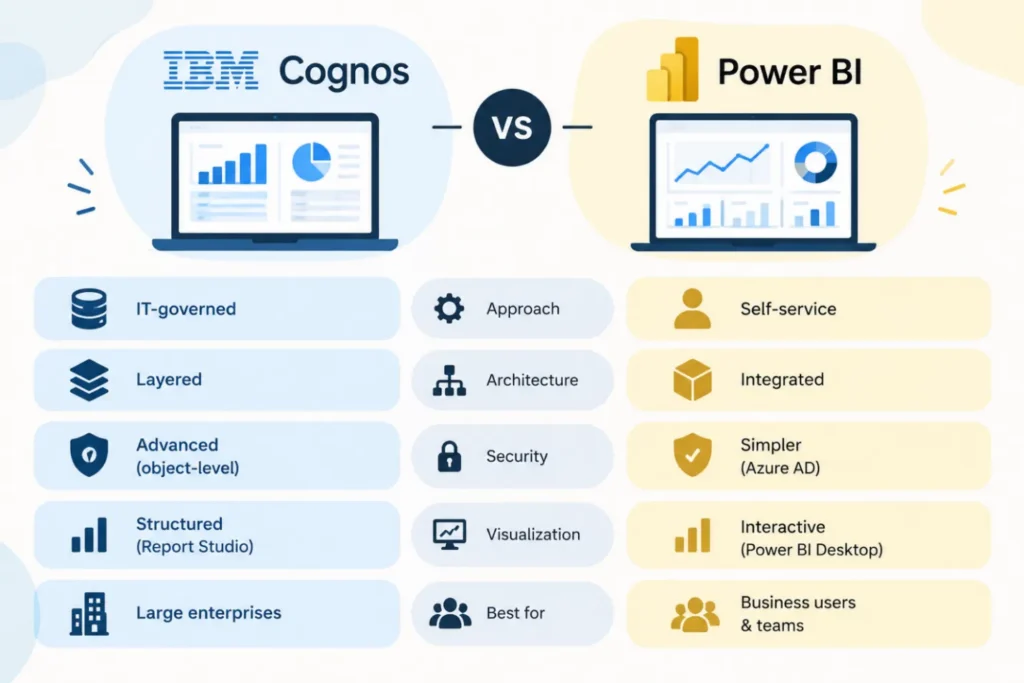
Most enterprises evaluating business intelligence platforms eventually narrow the field to two names: IBM Cognos and Microsoft Power BI. Both are established, capable platforms used for reporting, dashboards and data visualization, but they were built around different assumptions about who creates reports and how tightly that process should be controlled. Understanding that difference matters more than any single feature checklist when deciding between them.
Cognos vs Power BI comes down, in most organisations, to a choice between centralised, IT-governed reporting and self-service analytics that business users can build themselves. Cognos was designed for the first model, with reporting, application and data layers kept deliberately separate. Power BI was built for the second, collapsing much of that separation into a single desktop and cloud environment that business analysts can use directly.
Platform Overview
IBM Cognos Analytics
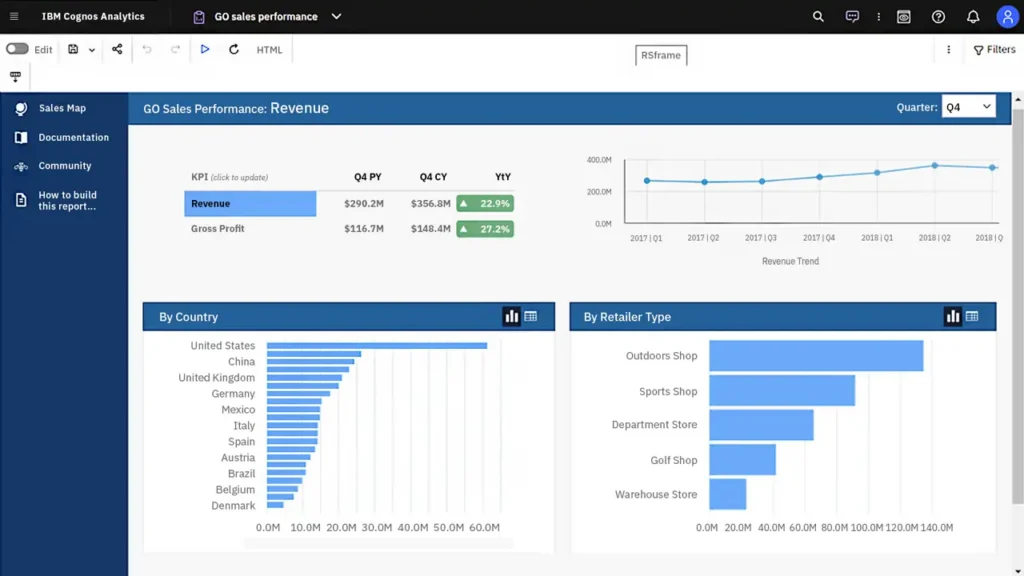
IBM Cognos Analytics is an enterprise business intelligence platform built around a multi-tiered architecture that separates the data, application and reporting layers. Report development typically runs through Report Studio and Framework Manager, tools that require real technical proficiency, which is why Cognos implementations tend to depend heavily on IT teams rather than business users working independently.
Microsoft Power BI
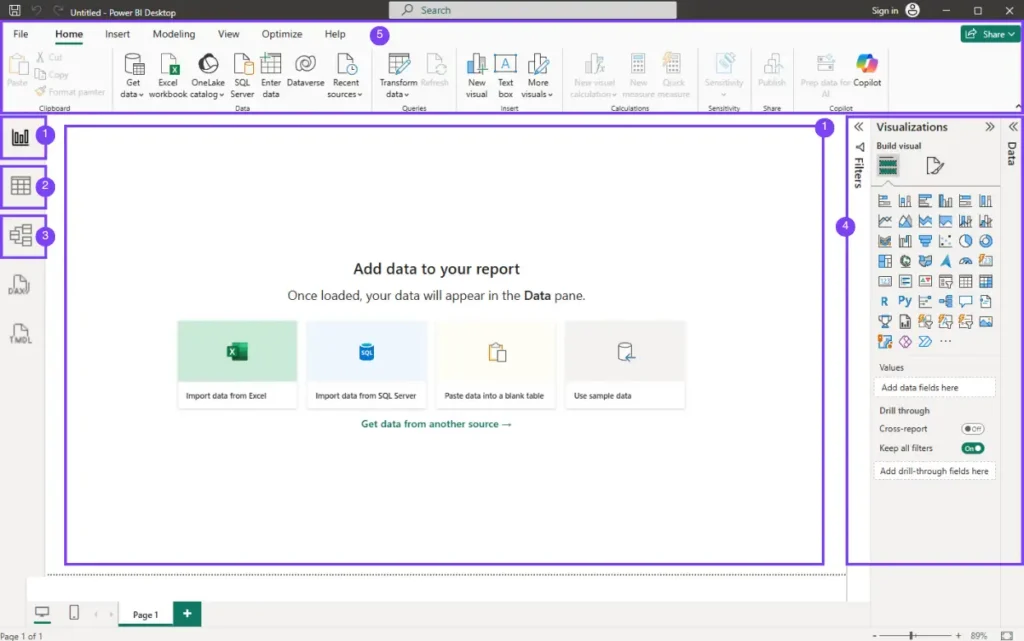
Microsoft Power BI is a cloud-native analytics platform built around self-service report creation. Power BI Desktop and the Power BI service work together to let business users connect to data, build a model, and publish an interactive report without necessarily involving a dedicated development team, while still supporting enterprise governance through the Power BI service’s workspace and access controls.
Architecture and Report Development
IBM Cognos vs Power BI differences start at the architectural level. Cognos’s layered approach, with Framework Manager providing a metadata layer between raw data and finished reports, produces strong version control and consistency but adds real overhead: every meaningful report change typically has to pass through IT. Power BI’s integrated desktop-to-cloud workflow lets an analyst move from raw data to a published report in one continuous session, with governance applied afterward through workspaces and access permissions rather than upfront through a mandatory development pipeline.
Data Modeling Approach
Cognos Analytics vs Power BI also diverge sharply in how they model data. Cognos relies on dimensional modelling through Framework Manager, built around OLAP cubes and hierarchies that need careful upfront design before any report can be built, an approach that suits large, stable enterprise data structures but slows down initial development. Power BI uses tabular modelling with the DAX language, and can automatically detect relationships between tables, which shortens the time from raw data to a working model considerably, especially for datasets that do not yet have a formal enterprise data warehouse behind them.
Security and Governance
Cognos provides detailed, object-level security controls and integrates with enterprise authentication systems, supporting complex row-level security patterns that regulated industries often require. Power BI simplifies day-to-day security administration through native integration with Azure Active Directory and Microsoft 365, implementing row-level security through DAX expressions.
Visualization and Self-Service Analytics
Cognos BI vs Power BI is often decided on this point alone. Cognos’s Report Studio and Dashboards modules produce structured, largely static visualizations well suited to formal, pixel-perfect business reporting, but custom visuals typically require JavaScript knowledge, and self-service is limited to guided tools like Query Studio and Analysis Studio that still assume some familiarity with the underlying data model.
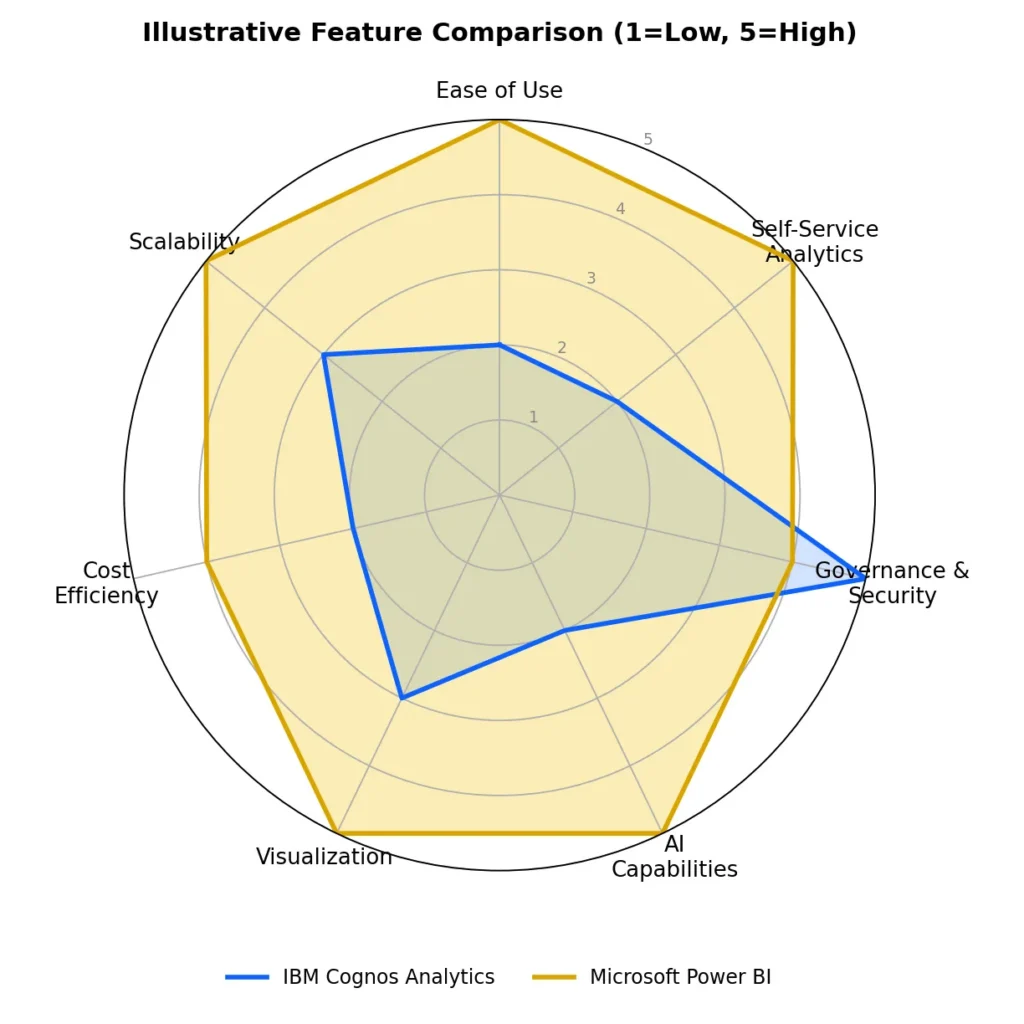
Figure 1. An illustrative, qualitative comparison across common evaluation criteria; actual scores will vary by organisation and deployment.
Mobile Access and AI Capabilities
- Cognos: Primarily focused on viewing existing reports through its mobile app.
- Cognos: Complex reports may have performance issues on mobile devices.
- Cognos: AI features use IBM Watson for natural-language queries and automated insights.
- Power BI: Offers interactive mobile reports that are optimised for smaller screens.
- Power BI: Provides deeper AI integration, including natural-language queries, machine learning, and Copilot for report generation and summarisation.
Feature Comparison at a Glance
| Aspect | IBM Cognos Analytics | Microsoft Power BI |
| Deployment | Primarily on-premises, with cloud options | Cloud-native, with Power BI Report Server for on-premises |
| Report Development | IT-driven, via Report Studio & Framework Manager | Self-service, via Power BI Desktop |
| Data Modeling | Dimensional modelling, OLAP cubes | Tabular modelling with DAX |
| Visualization | Structured, largely static reports | Interactive, AI-assisted dashboards |
| AI Capabilities | Basic, via IBM Watson integration | Deep, native AI and Copilot features |
| Mobile Access | View-only, limited interactivity | Fully responsive, touch-optimised |
| Security Model | Granular object-level, complex to administer | Streamlined via Azure AD and workspaces |
| Typical Cost Structure | Enterprise licensing, quote-based | Per-user (from $14/month) plus capacity tiers |
| Best Suited For | Large, regulated enterprises needing governed reporting | Organisations prioritising self-service and speed |
Licensing and Total Cost of Ownership
Cognos licensing is typically enterprise and quote-based, and total cost of ownership extends well beyond the licence itself: specialised hardware, database licences, dedicated IT and developer resources, and extensive training programmes all add to the running cost, which is part of why Cognos implementations can be expensive to sustain, particularly for small and mid-sized organisations.
Power BI’s pricing is public and considerably more granular. As of 2026, Power BI Pro list price is $14 per user per month, Premium Per User is $24 per user per month, and Microsoft Fabric capacity tiers start from roughly $263 per month for smaller F-SKUs, scaling up for larger enterprise deployments that need unlimited free viewers and Direct Lake performance.
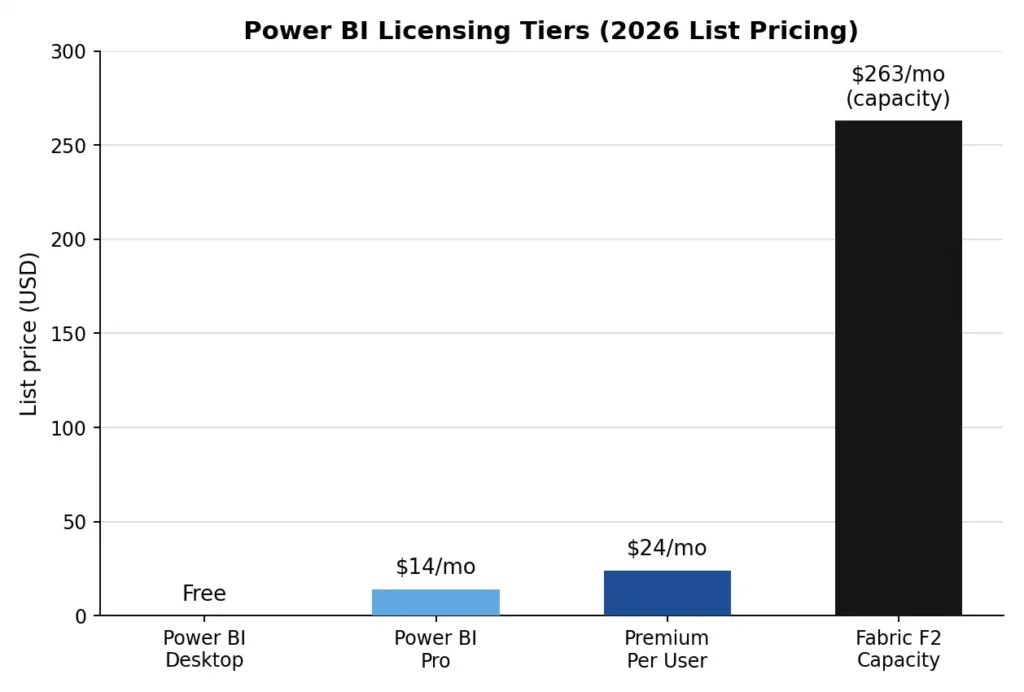
Figure 2. Power BI’s published 2026 licensing tiers; Cognos does not publish comparable per-seat pricing.
When Cognos Still Makes Sense
Despite Power BI’s market momentum, Cognos remains a reasonable choice in specific circumstances: large, regulated enterprises with complex financial consolidation and batch-reporting needs, organisations with an existing IBM data and infrastructure investment, and teams that need the very granular, object-level access control Cognos provides and are willing to accept the administrative overhead that comes with it.
When Power BI Is the Stronger Fit
Power BI tends to be the better fit for organisations that want business users building and modifying their own reports, teams already invested in the Microsoft ecosystem (Excel, Azure, Microsoft 365, Teams), and businesses that want AI-assisted insight generation without a lengthy setup process. Its lower entry cost and faster time-to-insight also make it the more practical choice for small and mid-sized organisations moving off a legacy BI tool for the first time.
Migrating from Cognos to Power BI

Organisations that decide to move tend to follow a similar sequence: an inventory and assessment of existing Cognos reports to identify what is actively used versus redundant, a choice between a direct migration that replicates existing reports or a redesign that rebuilds them around Power BI’s interactivity, reconstruction of data models and ETL processes using Power Query.
Support for BI Platform Evaluation and Migration
Choosing between Cognos and Power BI, or planning a migration between them, benefits from an assessment grounded in your actual reporting inventory rather than a generic feature comparison. Simbi Labs‘ Research & Analytics Division supports organisations evaluating BI platforms and planning data migrations, from initial assessment through to report redesign and user training.
Book a free consultation for appointment
Email us at : grow@simbi.in
FAQs
What is the core difference in Cognos vs Power BI?
Cognos uses a layered, IT-governed architecture built for centralised control, while Power BI uses a self-service model that lets business users build and modify reports directly, with governance applied through workspaces rather than a mandatory development pipeline.
How does IBM Cognos vs Power BI compare on cost?
Cognos licensing is enterprise and quote-based with a generally higher total cost of ownership, while Power BI publishes per-user pricing starting at $14 per month for Pro, plus capacity-based Fabric tiers for larger deployments.
Is Cognos Analytics vs Power BI a fair comparison for small businesses?
For most small and mid-sized organisations, Power BI is the more practical comparison point, since its lower entry cost and self-service model avoid the specialised infrastructure and IT resources Cognos deployments typically require.
Does Cognos BI vs Power BI differ in security capability?
Both offer enterprise-grade security, but Cognos provides more granular, complex object-level controls suited to heavily regulated industries, while Power BI simplifies administration through native Azure AD integration and DAX-based row-level security.
Can an organisation run Cognos and Power BI together during a migration?
Yes; many organisations run both temporarily during a phased migration, extracting Cognos data through ODBC connections or shared data warehouses while gradually rebuilding reports in Power BI.